Is my Mac Compatible with Mountain Lion?


With the launch of Mountain Lion confirmed for later today, the question on the lips of many Mac users is ‘Will my Mac run Mountain Lion’? The high minimum requirements of Apple’s latest version of OS X actually rule out quite a high percentage of what many people will still regard as quite recent machines, so I’ve put together this guide so that prospective upgraders can tell at a glance whether it’s worth shelling out to download Mountain Lion when it becomes available.

Compatibility of older Macs with Mountain Lion is dependent on two criteria: the age and spec of the graphics card, and whether or not the hardware supports the 64-bit processor architecture required by the new OS. Because Mountain Lion will be available as a download from the Mac App Store only, Snow Leopard will be the minimum OS required to actually get hold of the upgrade. For this reason, Power PC Macs are definitely not supported, as these were left in the dark when Snow Leopard (OS X 10.6) debuted in August 2009.

In most cases the deciding factor is going to be the graphics card. The best way to confirm what Continue reading

The Excitement is Mountain – Mountain Lion Officially Released Today! *Update – Now Available For Download!

Although the developer preview version has been available for a while now, it’s been announced that Apple’s latest operating system, OS X 10.8 Mountain Lion, will be officially released to the public today for download from the Apple App Store. UK users will be able to get their hands on the latest big cat for £13.99, which is the cheapest OS X upgrade yet.

Anyone who has bought a new Mac from Apple or one of their authorised resellers since June 11th 2012 will be eligible for a free upgrade from Lion to Mountain Lion via the App Store. You get 30 days from the launch date (today) to apply for the upgrade, and I’ll be taking this route myself, so I’ll let you know how it goes.

More details at http://www.apple.com/osx/uptodate

UK users can expect to see the new OS in the App Store later today, in view of the time difference between here and the US Pacific coast. In the meantime, to find out which of your apps will be compatible ahead of the launch, why not check out the fully up-to-date compatibility list at http://roaringapps.com?


*Update: As of 2pm GMT, Mountain Lion is available for download from the Mac App Store.  The above-mentioned link for free upgrades for qualifying recent Mac purchasers is also now active. Go get it! Rowr!!

MacBook Pro 13″ Ivy Bridge 2.9GHz i7 (Mid 2012) – A Real World Review

Somewhat overshadowed by the Retina MacBook Pro, the refreshed, original case-design Ivy Bridge range of Apple laptops, released simultaneously with the Retina MBP at June’s WWDC Keynote, doesn’t seem to have received a great deal of attention in the media. So, having had to make the difficult decision this month to put my ailing, late-2007 Santa Rosa MacBook out to pasture for one of the new models, I thought I’d share the experience. Of the reviews that do exist, most will undoubtedly have focused on how the new hardware compares to the version that came directly before it. Yet who in the real world buys a new computer to replace the one that came out merely months before? Surely more people are going to be interested in how much of an improvement the new machines are over a four or five year old MacBook that’s nearing the twilight portion of its operating window and thus needs to be replaced.

First impressions
After much soul-searching, I’d chosen to replace my late-2007, 13″ white MacBook 2.1GHz Core 2 Duo with the new 13″ Ivy Bridge MacBook Pro, with the snappy 2.9GHz i7 processor, 8GB of RAM and 750GB hard drive. The first thing I noticed on removing the MBP’s box from its cardboard Continue reading

Computer Music 181 Out Now!

Computer Music 181 Out Now!

The new issue of Computer Music magazine hits the shelves this week, and inside you’ll find my four-page guide to MIDI editing by numbers. This is an in-depth illustration of how, using Cubase’s Logical Edit function and Logic’s Transform window, you can leverage the power of simple maths to perform instant, wide-ranging edits on multiple events in your MIDI sequences with just a couple of clicks. Want to fix all your note velocities to a value of 100, or all note lengths to 16th-notes? Randomise velocity within a certain pitch range? Rearrange and randomise drum loops? Add a bit of human randomness to a sequence? Use custom keyboard commands to adjust velocity? It’s all laid out here, and the article starts on page 50.

Elsewhere in the issue, I also have a review of Zynaptiq’s remarkable Unveil plug-in. The audio equivalent of a sheet of kitchen roll, this signal focussing plug-in removes excessive reverb from an audio file, allowing you to re-process it with a more suitable effect. Find out exactly what I thought of it on page 84.

The CM team have done their usual excellent job with this issue, with a detailed look at how to use the amazing Sylenth1 soft synth, a feature on how to maximise the stereo width of your mixes, and loads of other tutorials, interviews and reviews – not to mention the usual ton of free stuff on the cover disc.

WaveMachine Labs Bring 48-Track Digital Multitrack to the iPad with Auria

Could this be the iOS answer to ProTools?

This week marked a pioneering iOS app release in the shape of Auria from WaveMachine Labs. For what I’m led to believe is an introductory price of £34.99, this astonishing app will transform your iPad into a fully professional digital multitrack recorder and mixer, complete with effect plug-ins. iPad 2 or 3 owners can benefit from an incredible 48 tracks of audio playback, while iPad 1 users are limited to 24, which is still not to be sniffed at.

Auria’s list of professional-friendly features is impressive: 48 tracks of simultaneous mono or stereo playback, up to 24 tracks of simultaneous recording (when used with a suitable interface), 96kHz sample rate support, 8 assignable subgroups, 2 aux sends, waveform editing, full automation, full delay compensation and Dropbox and Soundcloud integration. A vintage-inspired PSPAudioware ChannelStrip on every channel includes built-in Expander, Multiband EQ and Compressor effects.

In addition, AAF import & export promises the transfer of complete projects to and from other Continue reading

iCreate 109 On Sale Now – Get Mountain Lion Today

iCreate 109 On Sale Now – Get Mountain Lion Today

Issue 109 of iCreate is now available at all decent outlets, and this month I’ve contributed the cover feature! Eight info-packed pages all about how you can get your hands on equivalent functionality to eight of Mountain Lion’s best features right now, without having to wait until the official launch scheduled for later his month.

Besides which, if, like me, you find yourself in the position of having hardware that falls just outside the minimum specs for Apple’s latest version of OS X, you’ll be pleased to note that most of these substitute features are available to users of older machines. And if you’re unsure whether or not your Mac cuts Mountain Lion’s mustard, there’s a handy compatibility table in the article to let you know whether or not you’re able to upgrade when the time comes.

So pick up a copy and get the lowdown on how to replicate Sharing Sheets, Notification Center, Documents in the Cloud, GateKeeper, AirPlay Mirroring, Messages, Notes and Reminders, and get them on your Mac today!

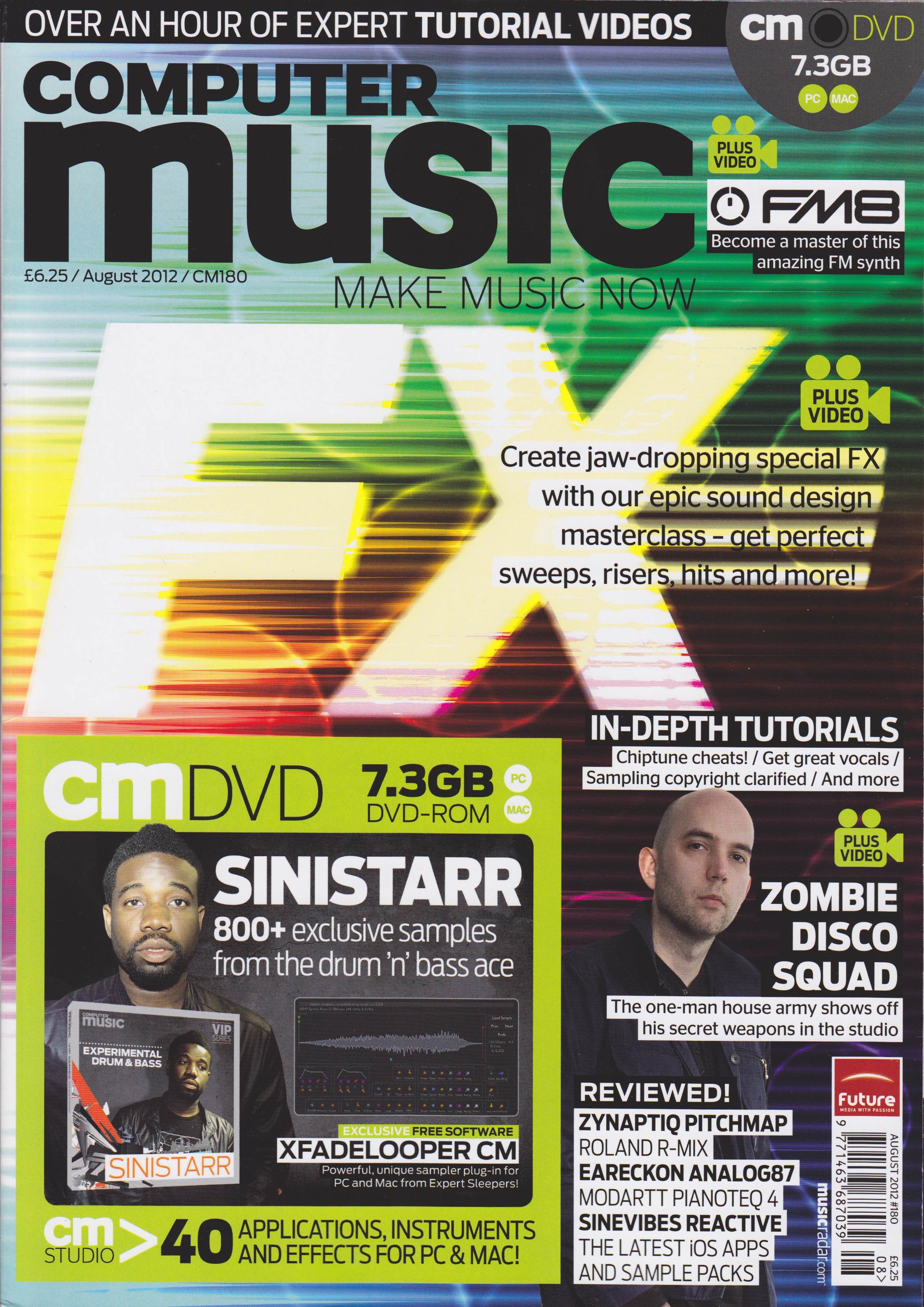
Computer Music 180 Out Today

Record Great Vocals is the title of my 5-page contribution to the August 2012 issue of Computer Music magazine that hits the shelves today. A guide to getting a terrific-sounding vocal, from choosing and setting up the mic through to editing the final result, this feature is packed with handy tips and step-by-step guides to getting a great, professional-sounding vocal. Not only that, but the pictures all look very nice too!
Lots of other good stuff from the team this month, including a special FX masterclass, a focus on how to use Native Instruments’ FM8 soft synth, and loads of reviews. Check it out at all good newsagents today!

Mac Tips, Tricks & Hacks Vol.1 On Sale Today

Another Imagine Bookazine breaks cover today. Mac Tips, Tricks & Hacks Vol.1 is a weighty compendium of tips, hidden features, secret shortcuts and step-by-step guides to some of the more common hardware modifications faced by Mac owners. This was a bit of a labour of love for me, as I contributed a total of 18 pages to this inaugural volume, over a set of 6 tutorial articles.
Contributions from me include guides on how to install extra RAM and hard drives into a Mac Pro, use a Mac Mini as either a Time Capsule or a web server, replace the hard drive in a Mac Mini, replace the battery in a MacBook Air and replace the optical drive in a MacBook Pro.
Packed to the gills with a lot of other useful stuff that wasn’t written by me, you should be able to find the book in WHSmiths, but if not, it’s available online for £12.99 at http://www.imagineshop.co.uk/bookazines.

Apple’s Acquisition of Redmatica – What Does This Mean for the Future of Logic Pro?

It’s been reported this week that Apple has successfully acquired Italian software company Redmatica, creators of KeyMap Pro, EXSManager, GBSampleManager, ProManager and AutoSampler, software solutions that enabled the creation and management of large sample and sampler instrument libraries on the Mac. These apps have built up a solid reputation as serious time-savers for professional Logic users. News of this acquisition provoked an interested raise of a single eyebrow (I’m getting better at this) on my part, as I’m always on the lookout for any hint of a development that might indicate an update to Apple’s ageing Logic 9 DAW any time soon. It begs the question, why would Apple assimilate a company that makes software products that enhance the user experience of the now-very-creaky EXS24 sampler, if there was not a major rewrite in progress of the DAW of which it forms a major component?

It has been hinted that the takeover is telegraphing a boost to GarageBand’s feature set, and while the long hiatus between iLife updates means that this may also be the case, GarageBand users as a demographic are far less likely to possess the kind of large sample libraries that Redmatica’s software was designed to complement. The most logical assumption is that there’s a new version of Logic in the pipeline, and that the functionality of Redmatica’s highly-regarded products is being integrated into it. Almost three years after Logic 9 was announced, this kind of development is one of the surest signs yet that some exciting changes are finally on the horizon for Logic users.
Whatever the reason, Redmatica founder Andrea Gozzi has now closed down the company, posting a rather terse message at http://www.redmatica.com to that effect, hinting that no further support or updates will be available from that source after June 12th. Could this be another clue to its imminent reappearance as part of the much-anticipated Logic Pro X / Logic 10? Exciting stuff for Logic users.

WWDC 2012 Highlights – New MacBooks, Mountain Lion, iOS 6 – UK Prices

Unlike last year, where I missed almost the entire thing due to deadline pressures, this time around I was fully poised with live weblogs engaged as the 6.00pm keynote hour for Apple’s Worldwide Developer Conference approached. Here’s a rundown of what was announced at the Moscone Centre in San Francisco earlier this evening.

Updated MacBook Pro and MacBook Air

The MacBook Air gets the new Intel Ivy Bridge processor, up to 2GHz dual-core i7, with up to 8GHz of 1600MHz RAM and 60% faster graphics. 512GB of flash storage, USB 3, and a 720p FaceTime camera. Display wise, the 11″ model sports a 1366 x 768 display, with a 1440 x 900 resolution on the 13″ . The 2012 MacBook Air ships today, with prices ranging from £849 – £1249.

The MacBook Pro also gets Ivy Bridge processors, up to 2.9GHz quad-core i7, (turbo boostable to 3.6GHz), 8GB of 1600MHz RAM and 60% faster graphics. The 13″ model gets the same integrated graphics chip as the new MacBook Air, while the 15″ gets the Kepler GeForce GT 650M graphics card with up to 1GB of video RAM. Both models get USB 3 ports. The 13″ version starts at £999 for the 2.5GHz variant, rising to £1249 for the 2.9GHz i7. The 15″ model starts at £1499 for the 2.3GHz, going up to Continue reading

iCreate 108 Is Out!

iCreate issue 108 lands with a satisfying thump on the shelves of your local magazinical emporium today, and within its pages you’ll find a solid contribution from this writer – 10 pages, in fact. Page 44 kicks things off with my tutorial showing how to use the Vignette and Edge Blur tools in iPhoto, while over on page 56 you’ll find my 9-step guide to MIDI note editing in GarageBand.
Page 82
has a double-page spread revealing 10 iTunes secrets, and page 86 features another two pages exploring the features of CleanMyMac, an app that can help keep your hard drive free of space-hogging junk.
Finally, on page 106 is another two-pager detailing the iDesk diagram-creation app for the iPad. Quite a variety this month!

Editors Keys SL300 USB Mic Review

After my recent disappointing experiences with faulty Blue Snowball iCE and M-Audio Producer USB mics, I found myself in a bit of a tight spot the other week, when I needed to make some audio examples to accompany a vocal recording article. Having returned both the faulty mics to the retailers on the Friday and with the copy deadline for the article on the following Tuesday, I needed a replacement mic, and fast!

A quick Google search for ‘best USB mic under £150’ returned a swathe of glowing reports and reviews about a mic I’d never heard of before – the Editors Keys SL300 Studio Series USB Condenser Mic. Looking exactly like a scaled-down Neumann U87, it came with shockmount, carrying case and USB cable for £98 inc VAT. Suitably impressed, I rang the UK distributor, Inta Audio of Coventry, at 4.30pm to see Continue reading

Novation Impulse 49 Review – Computer Music 179

In all the excitement over my cover feature this issue (see below), I almost forgot about my review of the Novation Impulse 49 Controller Keyboard that also appears in this month’s issue. The mid-range, mid-size all-rounder from the highly-regarded chaps at Novation combines with their AutoMap 4 software to provide a compelling package for those who need hardware control of third-party plug-ins with added on-board arpeggiation and a semi-weighted keyboard with polyphonic aftertouch. To read the full review and what I really thought of the unit, catch the new issue of Computer Music that hits the shelves today.

Massive Delay Feature Makes the Cover of Computer Music 179

They say that as you get older, your features get bigger. Well, that definitely seems to be true in my case at the moment, as hitting the shelves today is issue 179 of Computer Music, which contains my truly enormous, 12-page guide to using delay effects. Bristling with techniques and walkthroughs, many of which are backed up by video tutorial files on the cover disc, this comprehensive guide to one of the most useful effects in music follows hot on the heels of my recent 11-page GarageBand feature for iCreate, setting a new personal best for me in terms of page quantity. I’m really excited to see this in print, as it took almost two weeks to produce and is my biggest commission yet. So don’t delay – get down to the newsagents and pick up a copy, or order the digital edition online today!

Blue Microphones Support System – All System and No Support?

A little over four weeks ago I bought a Blue Snowball iCE USB mic, just to have knocking about on the desktop for the odd bit of audio recording and to help out with videosong duties. Initially it worked fine, although I wasn’t as impressed by the sound quality as I thought I’d be. However, due to my having a soft spot for the brand, I was prepared to give it the benefit of the doubt.
I really wanted to like this mic and was looking forward to using it, but sadly this has proved to be impossible. It stopped working after ten days, and refused to show up on either of my Macs. I duly emailed Blue tech support and heard nothing for three weeks, so I emailed them again with a complaint. I received a lame excuse for the zero response and still no answer to my query as to what the problem might be. Their support system appears to be made up of all system and no support – the lack of communication is frankly laughable. So I heaved a resigned and heavy sigh, put the mic back in its original packaging and will be returning it to the retailers today for a refund.
My point in posting this sorry saga is this: I used to have the utmost respect for Blue Microphones as a company. I revered their products and hoped to own a few of them someday. After this experience, where their customer support has shown itself to be as lousy as their product, I doubt I will ever be able to recommend their products, and I certainly won’t be purchasing any Blue mics in the future if this is the level of customer support that can be expected should things go wrong.
So if you’re considering purchasing a Blue mic, be warned: if you have a problem with it, and on this showing the chances are that you will, you’re on your own.

Massive ‘GarageBand Made Easy’ Feature in iCreate 107

iCreate issue 107 hits the shelves in the next day or so, and I’m proud to reveal that it contains my biggest feature yet – a huge nineteen-page introduction to the world of GarageBand, explaining everything from how the interface works, what templates to select, how to write your first song, how to record your own performances, how to compose a song using just Apple Loops and how to use the software to score an iMovie project. This is the biggest feature I’ve done in 5 years of writing, and it’s a belter! If you’ve ever had any inclination to get started with GarageBand, everything you need is right here, starting from page 24.
Elsewhere in the issue, there’s more great stuff about how to improve your Mac using upgrades and system add-ons, and more tutorials on iLife for iOS, Aperture and Final Cut Pro X.

Computer Music 178 – full of Clews Reviews

A bit slow on the uptake with this one as well, as it actually hit the shelves a few days ago. I’ve had such a full-on few days recently that I’d actually forgotten that I’d submitted two reviews for this issue! My attention turned to software this time around, notably Audioease’s remarkable Altiverb 7 Convolution Reverb, with the power to place you sonically in a wide range of desirable acoustic spaces from around the world, and Sonokinetic’s Vivace Rompler, a giant 20GB repository of cinematic orchestral ambiences and textures. To see what I thought of them both, nip down to Smith’s, Tesco’s or any half-decent newsagent and pick up a copy. Then pay for it. Take it home. You know how it works.

iMac’s Back, Alright!

It's big, it's bright, it's at the right height!

The Beast is Back! After a six month sabbatical, my white iMac is finally back where it belongs, front and centre on my desk. It succumbed to the notorious Swollen Capacitor Syndrome last September, a costly repair that I had to put off due to lack of funds until last month. After four weeks at the menders, it’s great to have it back, but…. all is not quite what it seems.
A big ‘thanks dude’ is due to Carl Folker at MacLogics in Peterborough, who after discovering that my old friend was ultimately beyond repair, substituted a newer Intel machine in place of my original G5 unit, cloned my 200GB’s of data off my hard drive, reformatted it so it would work properly in the new machine, then cloned it all back. So this iMac looks and feels exactly like my old machine, except it’s faster, has more RAM, and since it has an Intel Core 2 Duo processor under the hood, it can now run OS X 10.7 Lion. Result! The old machine had been stuck at OS X 10.5 Leopard due to its G5 processor, and when I mentioned that my Leopard Install DVD had been stuck in the original machine’s optical drive, Carl even fished it out and dropped it off at my house personally!

It’s big, it’s bright, it’s at the right height!
Ergonomically the return of Big White is a huge bonus. My upper vertebrae and my white Macbook have both been feeling the strain of the laptop taking on everything I could throw at it recently, soaking up reviews of DAW’s like Cubase 6.5 and massive sample libraries like Sonokinetic Vivace, along with huge plug-ins like AudioEase’s Altiverb 7 convolution reverb. My trusty MacBook has helped me produce countless tutorials and features on a weekly basis, not to mention getting this blog up and running. Now that its hard drive has only 6GB of free space left, I think it might be time to let its bigger brother take the strain for a while!

If you have a mitherly Mac that needs cheering up, give Carl a ring on 01733 702317 or contact info@maclogics.co.uk.

Another MacUser GarageBand Tutorial Published

It’s a nice problem to have, I guess, but I sometimes lose track of which article is coming out when in what magazine. The current issue of MacUser is a case in point, as it features a four-page GarageBand tutorial, starting on page 86, in which I demonstrate how to use the Musical Typing feature as a rudimentary sampler, create your own Apple Loops with the resulting instruments and thereby personalise and expand your Apple Loop library with your own custom sounds. So if you want to learn how this is done, get hold of a copy sharpish, as my lateness in getting this post up means that it’ll only be in the shops for another week or so!

Reattach or Re-attach? The Prefix of Repetition

When you find yourself writing for a living, things that previously seemed insignificant suddenly take on a whole new level of importance. For instance, I stumbled across a little grammatical challenge last night, as I was putting together some hardware-related tutorials for a forthcoming bookazine about how to dismantle and remantle your Mac. I like to think that I know enough about the rules of English grammar to get by, but every now and then I have to lurch from my desk and reach for the not-very-well-thumbed copy of Fowler’s Modern English Usage that lurks in the bookcase at the back of the room.
Such a case occurred last night while I was writing a tutorial step that involved plugging in a cable that had been disconnected in a previous step. At first I wrote ‘reattach’, but when I read it back it looked wrong, like the name of an esoteric brand of Scotch. So I bunged in a hyphen and got ‘re-attach’. That didn’t look right either. Time to consult Fowler.
And here’s what he replied: words beginning with ‘re’, meaning to do something for a second time, should not normally be hyphenated (reconnect, reapply, reinsert, reattach). The only times you need a hyphen are when the secondary word, the verb that’s being done again, begins with an ‘e’ (re-enter, re-establish, re-edit), or when you need to differentiate between two different meanings of what would otherwise be the same word (recollect and re-collect, recount and re-count).

Fowler gives the ‘re’ the grandiose title of ‘The Prefix of Repetition’. Sounds to me like a John Martyn album title from the 70’s, but there you go. You really do learn something new every day – in this case, that it was actually worth buying that book after all.