iCreate 121 – Custom GarageBand Instruments & Cubasis for iOS

iCreate 121 – Custom GarageBand Instruments & Cubasis for iOS

iCreate 121 Cover 500Another issue of iCreate can only mean one thing – another couple of tutorials from me! This month, we’re delving into one of GarageBand’s lesser-known abilities – creating your own custom sample-based instruments. Not a widely publicised feature this, but actually incredibly useful once you know how to pull it off, given GarageBand’s lack of any real sample playback capability – it’s a nifty trick that allows you to reconfigure an existing instrument as a basic sample player, and you can use it to construct anything from your own drum and percussion kits to custom pitched instruments. You’ll find the tutorial on page 56.
Elsewhere, Steinberg have been busy working on a version of Cubase for your iPad. Cubasis is a remarkably solid port of their flagship DAW to the iOS platform, and works in a very similar way to the desktop version. My two-page guide starting on page 92 takes you through some of its more advanced features accessed via the inspector panel, following on from the more basic exploration in the previous issue.

Computer Music 192 – Pentatonic Scales, Modulation Cover Piece, Dune CM, WaveShaper CM

Computer Music 192 – Pentatonic Scales, Modulation Cover Piece, Dune CM, WaveShaper CM

CM192 Cover 500Big news today here at daveclews.com – I’m really happy to announce that I’m now officially a columnist! Yes, the July 2013 issue of Computer Music magazine is finally here, and it contains the first instalment of my regular monthly ‘Dave Clews’ Easy Guide’ music theory column. This first one is about the power of the pentatonic scale, and it spans two pages with two six-step walkthroughs that outline how to construct and use pentatonic scales within a practical production context, accompanied by a video that you can find on the covermount DVD (or download from the CM vault if you have the digital edition). I even get a photo byline, a small bio and a link to this page, so if you’ve come here via CM193, welcome!
Elsewhere in the mag, I’ve contributed quite a bit of other stuff to this issue too. Apart from my column on page 70, I’ve written the first five pages (33-38) of the cover feature, a massive guide to modulation. Looking in-depth at the way different kinds of modulation are used in synth sound design, and featuring lots of practical examples, with video, of how they can be applied in  real world music-making scenarios, the feature covers:

LFO’s – what they are and how to use them

ADSR Envelopes and how they can be used to modulate a sound

Complex, multipoint envelopes – now these are very cool!

… and lots more besides.

I also have the DVD tutorial this month, found on page 6 and detailing the features of the rather marvellous Cableguys WaveShaper CM plug-in, a combination of a digital oscilloscope and waveshaper that you can’t get anywhere else – it’s only available from CM, either on the cover DVD or as a download with the digital edition!

As if that wasn’t enough, starting on page 16 I’ve also done the CM Plug-ins Quick Guide, which this month is a four-page guide to the ins an outs of the fantastic Dune CM soft synth that’s also given away free (along with about 30 other plug-ins) every month.
Quite a landmark issue for me this, and I’m proud to say that I take up a total of 14 pages in this one. And with the second instalment of my column already written and the video already shot and edited, I can confidently say that you’ll be seeing at least two pages of me in the mag every month from now on!

iCreate 120 – Compose Movie Scores & Piano Roll Editing

iCreate 120 – Compose Movie Scores & Piano Roll Editing

120 iCreateI’ve been so busy working on new projects lately that issue 120 of iCreate magazine almost slipped under my ‘published stuff’ radar! In a distinctly GarageBand-focussed issue, there are two tutorials from me this month – on page 56 is a simple two-page guide to composing a movie score in GarageBand to use in your iMovie projects, while over the page on page 58 I take you through the basics of editing MIDI regions in the app’s piano roll editor. All good useful stuff, I hope! So if you want to broaden your GarageBand horizons, grab a copy quick while you still can!

Video Tutorial – How to Use a Compressor (CM190 HorNet Fat-Fet)

Video Tutorial – How to Use a Compressor (CM190 HorNet Fat-Fet)

Hornet Fat Fet Video StillHere’s a link to a recent video tutorial I did that appeared on the cover DVD of the May 2013 issue (CM190) of Computer Music magazine.

It gives you a guided tour of what all the knobs and buttons do on the HorNet Fat-Fet vintage analogue-style compressor plug-in, which is kind of cool and can be found given away free with each issue, print or digital. Aside from that though,  it also functions as a useful primer on how compressors work generally, and what it is that they do. So if you’ve ever wondered what a compressor really does, or you fancy bagging a free one for use in your own projects, why not check it out?

Computer Music 191 – Classic Keys Cover Feature (with Video) plus KR-Delay CM & VPS Philta CM

Computer Music 191 – Classic Keys Cover Feature (with Video) plus KR-Delay CM & VPS Philta CM

CM191 Cover 500

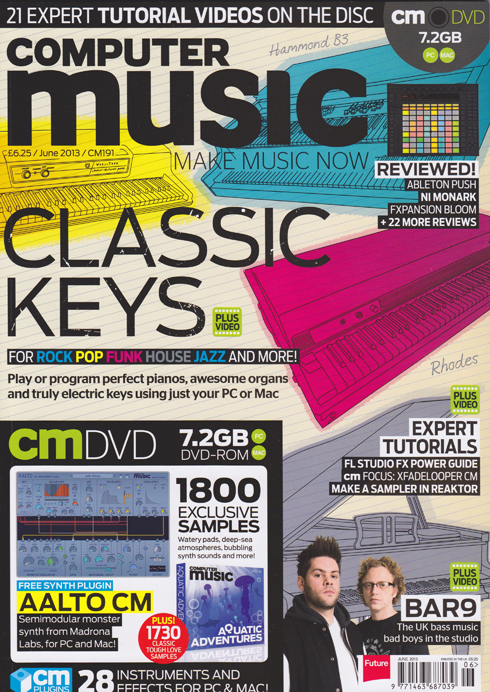
Huge excitement today as my massive, 13-page ‘Classic Keys’ cover feature hits the shelves at last on the front of Computer Music’s June 2013 issue. Beginning on page 32, it’s all about how to get the best from today’s finest virtual keyboard instruments and create convincing piano, electric piano and organ parts using your computer.

Covering:
• How real pianos, electric pianos and tonewheel organs work.
• How to recreate certain playing styles in a MIDI sequencer
• Programming dance piano chords
• Programming convincing sustain pedal performance data
• Using drawbars on a virtual Hammond B3
• How to choose the best virtual piano, Rhodes & organ plug-ins
And much more besides.

Every walkthrough guide also has an accompanying video on the cover DVD (or downloadable from the website via the digital editions). I’ve been dying to see this in print since I wrote it back in January, so if you want to get sounds like the likes of Stevie Wonder, Jimmy Smith, Billy Joel, Supertramp and other classic keyboard wizards into your tunes, grab a copy and check it out!

As a bonus, elsewhere in the issue, starting on page 16 I also take the helm of the regular ‘cm plug-ins Quick Guide‘ slot. Two pages each cover how to navigate your way around the front panels of KResearch’s KR-Delay CM stereo delay unit and Vengeance-Sound’s Philta CM superb dual filter plug-in. Both these special edition plug-ins are only available with the magazine, along with an ever-growing stable of other high-quality virtual instruments and effects.

17 pages in one issue – I think that might be a new personal best…… at least until next month’s issue!

MacUser Vol. 29 No.5 – Computer-Generated Vocals in GarageBand

MacUser Vol. 29 No.5 – Computer-Generated Vocals in GarageBand

MacUser 2905 Cover 500One Thursday night back in 1978, when I was 10 and first really getting into music, I witnessed a band on Top of the Pops called ELO playing a song called Mr Blue Sky. The middle 8 came in with its vocoded vocal and my pre-adolescent mind was instantly blown. Vocoders have been one of my favourite things on the planet ever since, and it’s long been a mild frustration of mine that GarageBand, a piece of software that I know and love well through my monthly iCreate tutorials, has not had the ability to produce a decent vocoded vocal. So, I made it my personal mission to try and perfect a technique that would not only make this possible, but that would produce great-sounding and properly useful results.
Yes, in the May 2013 issue of the new-look, bigger, monthly MacUser magazine, I take up six whole pages of the posh, shiny new paper with a step-by-step guide to producing coherent, computer-generated vocals in GarageBand without a vocalist or microphone anywhere in sight. It’s all thanks to one particular freeware third-party plug-in that happens to function in such a way that GarageBand’s lack of signal routing options no longer poses a problem to cash-strapped would-be vocoderists.
Beginning on page 78, this colourful and informative guide takes you through the entire process from scratch, starting by generating the source vocal as spoken text and ending up with a finished lead or backing vocal generated entirely within your Mac.
So if you’re a GB user who fancies a bit of vocoding fun (and it’s great fun, trust me!), get your May 2013 copy of MacUser today!

iCreate 119 – GarageBand Ringtones & Logic Editing Tips

iCreate 119 – GarageBand Ringtones & Logic Editing Tips

iCreate 119 Cover 500The latest issue of iCreate can now be glimpsed on a newsstand near you, be it analogue or digital, and if you flick through it you’ll find a few contributions in there from me. I get a couple of half-page mini-tutorials in the ‘How to Record an Album in a Week’ feature that begins on page 30. Page 33 features an item on how to work with MIDI drums in Logic’s piano roll editor, while on page 37 you’ll find some advice on the tools that Logic provides to get better results when recording and editing vocals.

Meanwhile, in a separate double-page tutorial on page 58, I demonstrate how to use GarageBand to create a custom iPhone ringtone from practically any piece of audio.

Aside from the ‘Album in a Week’ feature which is chock full of great advice and tips, there’s also a huge guide to how to get the best from iCloud, which I know I found extremely useful, along with the usual awesome collection of hints, tips, features and reviews.
So if you haven’t already, add issue 119 to your collection forthwith!

Avid Announce Pro Tools 11 at NAB 2013

Avid Announce Pro Tools 11 at NAB 2013

Pro Tools 11

One of the most exciting news items to come out of the NAB show in Las Vegas this week has been Avid’s announcement of the all-new Pro Tools 11. A completely rewritten, 64-bit application with all-new code and a brand new Avid Audio Engine (bye, DAE!) under the bonnet, this audio and music production, editing and mixing powerhouse takes things up to the next level, with the promise of more processing power, more tracks, more virtual instruments, more complex instruments – just more, basically. The 64-bit architecture promises better memory management, with the ability to address as much RAM as your computer can hold, and all-round much slicker performance, particularly in complex sessions with lots of virtual instruments and effects. But, apart from being 64-bit from the ground up, what else is new? Has someone at Avid been listening? Has all the stuff that’s driven us PT users nuts for years finally been addressed? Here’s a closer look at some of the new bits and pieces to be found in Pro Tools 11.

Offline Bouncing
Offline bouncing is here at last, which will have many users literally jumping for joy. The days of watching the progress bar crawl across the screen as the computer wrestles with a real-time bounce of a complex orchestral mix or an hour-long podcast, (only to throw up an error at the last minute, requiring the whole process to be started again through a blurry veil of frustrated tears) are finally drawing to a close. Offline bouncing promises to deliver mixes at speeds up to 150 times faster, which means an hour-long program could be rendered in under one minute. This is sample-accurate offline bouncing to boot, so you always know exactly what you’ll end up with. Stem creation looks like it’s about to get a lot less painful, and it looks likely to be useful as a track freeze function too, a quick way of lightening the CPU load caused by memory-hogging virtual instrument tracks. You can also bounce a .WAV and a .mp3 version simultaneously in PT11.

Timing Tweaks
Elsewhere, Avid have sought to stamp out latency issues by implementing both an input and an output buffer, so that  delays introduced by complex processes can be compensated for at the output stage. This all happens transparently, so that by the time it reaches your ears, everything should be in perfect time. To reduce monitor latency when recording, PT 11 has domain latency switching which allows for input-enabled virtual instrument and record channels to employ a super-low, 32-sample buffer while playback tracks operate at whatever your current system buffer settings are. Clever!
Time-stamped plugin parameter automation means that now every automation move will happen exactly when it’s supposed to, rather than a few frames either side of the intended position, which can apparently happen with some current systems when a bounce is rendered.

From Meter You
Pro Tools 11 introduces a batch of new metering systems for Pro Tools HD users – a total of 17 industry-standard metering options are available in the top-end version of the software, including standard VU metering, BBC and Nordic PPM metering, and even Bob Katz’ K System. The master track meters can have their format set independently from the rest of the Mix window, and mini meters now appear on the plugin slots in the Sends view. You’ll also now find a configurable gain reduction meter for dynamics plugins on each channel in the HD version. The channel meters themselves are much higher resolution and also 30% taller than those in PT10.

Video Star
Video handling is also much improved, with Pro Tools 11 adopting the same video engine as that found in its sister app Media Composer, which was also updated this week. You can now monitor and even edit HD video directly within your Pro Tools sessions. You can add a variety of broadcast level formats (XD Cam, MXF HD, Avid DNxHD) directly to your session without transcoding, which is a real timesaver. There’s also improved support for a much wider range of video interfaces than before, including equipment from AJA and Black Magic.

Bits n Bobs
There’s a host of other tweaks and enhancements alongside the big guns. Dynamic Host Processing cleverly reallocates processor resources away from tracks when there’s nothing playing on them. There’s an updated workspace browser with a faster, improved search feature, and you can now input automation data whilst recording – great for recording live sound. This automation data can also be converted to clip gain when mixing a project.
There’s a set of new, single-handed shortcuts for bypassing inserts – great for quick before / after comparisons of channel strips with long plugin chains. You can bypass all inserts with one keystroke (Shift +A), or use different commands to bypass by placement or category. Graphically, the system now supports Apple’s Retina displays and there have been some visual tweaks to the Mix window.

Notably, PT11 only supports the AAX plugin format – RTAS & TDM plugins are no longer supported from this version onwards because they are all 32-bit code. PT11 is all 64-bit code, so older plugins may need to be sacrificed for the sake of progress, at least until AAX upgrades of those plugins become available. A tough call for UAD users. Interestingly, you can run both PT10 & PT11 on the same machine, which offers a temporary workaround to bridge the transition, but if you’re a Mac Pro user, that machine has to be newer than the March 2009 (Mac Pro 4,1) model. Pro Tools 11 requires OS X 10.8.3 or newer, and an iLok2 USB dongle is required for copy protection.

So, no new plugins or instruments then, but rather a completely overhauled application that promises to provide a smoother and faster workflow, as long as you can take the ‘no RTAS’ hit. Pro Tools 11 is expected to ship in May / June 2013, but anyone who purchases and registers a copy of PT10 between 7th April and the release date will receive a free upgrade to 11 when it ships.

Pricing
Pricing will be as follows:

Pro Tools 11 software (full version)— $699 USD
Pro Tools 10 to 11 upgrade— $299 USD
Pro Tools 9 to 11 upgrade— $399 USD
Pro Tools Express to Pro Tools 11 cross grade— $499 USD
Pro Tools HD 10 to 11 upgrade— $599 USD
Pro Tools HD 9 to 11 upgrade— $999 USD

For more information, see http://apps.avid.com/protools11

Working with Cubase 7’s MixConsole (Video) – Computer Music 188

Working with Cubase 7’s MixConsole (Video) – Computer Music 188

Cubase 7 MixConsole Vid Here’s a link to one of the videos I created for the Cubase 7 New Features guide that appeared a couple of months back in Computer Music issue 188.

It takes an in-depth look at the revamped MixConsole, focusing on the redesigned layout, new Q-Link button, channel search feature, channel strip modules and more. Check it out and let me know what you think!

Computer Music 190 – HorNet Fat-Fet & LinPlug CM-505

Computer Music 190 – HorNet Fat-Fet & LinPlug CM-505

CM190 Cover 500Computer Music magazine hits the shelves with a particularly high-viz cover this month, and all of my bits and pieces can be found near the front of the issue this time around. In the DVD Tutorial section, I get to introduce you to this month’s free plug-in, the excellent HorNet Fat-Fet. This virtual analogue compressor plug-in is modelled on the famous Universal Audio 1176LN Blue Stripe hardware compressor from 1967, and even though the front panel bears no resemblance to the original, it sounds pretty great. You’ll find a full description and in-depth 18-step guide to how to use it on pages 6-8, together with an accompanying video on the cover DVD.

Elsewhere, the CM Plugins Quick Guide feature delves into the innards of the LinPlug CM-505, an exclusive, custom-built analogue drum synth offered as part of the free suite of plugins that comes bundled with each issue of cm. A detailed four-page breakdown of what all the knobs and buttons do, this is the first time I’ve had a go at this kind of feature, and you can see how it turned out on pages 16-19.

So don your shades and get stuck into CM190, available from today in both print and download editions.

iCreate 118 – Slowdown FX in GarageBand, Combine PDF Files in Preview, Sony Sound Forge Pro Mac Review

iCreate 118 – Slowdown FX in GarageBand, Combine PDF Files in Preview, Sony Sound Forge Pro Mac Review

iCreate 118 Cover LargeSo as another month rolls around, two much-anticipated events occur: the arrival of Spring and another issue of iCreate. There are two tutorials and a software review from me this month: on page 56 you’ll find my step-by-step guide to creating the popular vocal slowdown effect in GarageBand using the AU Pitch plugin and the automation system. There’s barely a song on the radio at the moment that doesn’t feature this kind of effect somewhere, so if you’re a GB user, this is how you too can get in on the act.
Elsewhere, on page 78, you’ll find a tip for something you probably didn’t even know was possible – how to combine multiple PDF files into a single document using the Preview app that comes as standard as part of OS X. Once you’ve pulled off this trick once, you’ll wonder how you ever managed without it!
Meanwhile, Sony Creative Software have rewritten their popular Sound Forge Pro audio editing app for the Mac. Far from being merely a port of the software that PC users have had access to for years, this version 1.0 release looks set to surprise a lot of people, and probably not for the reasons you’d expect. To find out what I thought of it, turn to page 124.

So to check out these pieces and a host of other useful tips, tricks and how-to’s, get hold of a print or digital copy today!

iCreate 117 – Podcast Stings & Spruced-up Spreadsheets

iCreate 117 – Podcast Stings & Spruced-up Spreadsheets

iCreate 117 Cover 500Issue 117 of iCreate magazine is out now, and nestling amongst its feature-packed pages this month are four pages of tutorials from me. On page 48 I show you how to get to grips with producing your own podcast stings, bumpers and sound effects in GarageBand, while a second tutorial on page 58 demonstrates how to use colour and shapes to liven up the visuals in your Numbers spreadsheets, following on from the weight loss tracker illustrated in last month’s issue. All in all, another brilliant issue from the iCreate team, so pick one up today!

Computer Music 188 – Cubase 7 New Features Tutorial (With Video)

Computer Music 188 – Cubase 7 New Features Tutorial (With Video)

CM188 Cover 500Issue 188 of Computer Music magazine includes, amongst much other music software-related goodness, my 5-page guide on how to work with the most prominent new features in Steinberg’s Cubase 7. Found on page 62 and covering the new MixConsole, Channel Strips, Channel Settings Window, Chord Assistant, Chord Track, VariAudio 2.0, MemZap and VST Connect SE, the guide is designed to get you up to speed with the new aspects of the software as quickly as possible, whether you’re a Cubase newbie (a Cubie?) or a seasoned veteran. Together with the accompanying video walkthroughs I produced for the cover DVD (which can be downloaded from http://vault.computermusic.co.uk for those who subscribe to digital versions of the mag) it makes for a detailed introduction to all the great new stuff that Steinberg have packed into this release.

So to find out more, nip to Smiths, Tesco or any other favoured news boutique for a print issue or download a digital copy from Newsstand or Zinio today!

MacUser Vol.29 No.2 – How to Sidechain in GarageBand

MacUser Vol.29 No.2 – How to Sidechain in GarageBand

MacUser2902 Cover 500Sophisticated though it may be for an entry level DAW, GarageBand does have some limitations, one of them being a lack of any kind of provision for side-chaining effects – you know, like the bit in Titanium where the track pulses up and down in volume in time with the beat. So in this latest issue of MacUser magazine, you’ll find my six-page, step-by-step guide outlining three different techniques to work around this limitation and get this popular pumping effect in your own GarageBand projects. Accompanied by a neat little mention on the front cover, the piece starts on page 78, so if you want to ‘Guetta’ similar effect, you know what to do!

This is also the final bi-weekly issue of MacUser, because from February 14th 2013 this prestigious publication will be shifting to a monthly format, so I guess this means that there’ll be an extra week to get hold of this issue!

Video Tutorial – Classic 80’s Gated Reverb Drum Sound – Computer Music 187

Video Tutorial – Classic 80’s Gated Reverb Drum Sound – Computer Music 187

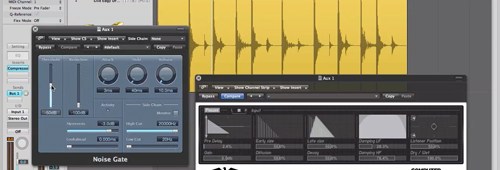
Gated Drum Reverb w Plug-ins 640Check out this link to one of my ‘creative noise gating’ tutorial videos, as featured on the cover DVD of issue 187 of Computer Music magazine.

http://www.musicradar.com/tuition/tech/how-to-replicate-classic-gated-drum-reverb-with-plugins-569525

During the late 1980’s, the drum sound of the moment was the massive, beefy gated reverb sound favoured by Phil Collins, Power Station’s Tony Thompson and the like. Originally the product of SSL desks, several mics, hardware gates & compressors and numerous patch leads, you can now get this effect easily within your DAW using just a couple of plug-ins. Let the 80’s revival continue!

This video is just one of a collection of seven creative gating techniques featured on the DVD this issue. If you want to get your hands on the others, plus a whole bunch of other useful stuff, pick up a copy of Computer Music 187!

Novation To Unveil Launchkey Controller Range at NAMM 2013

Novation To Unveil Launchkey Controller Range at NAMM 2013

49-Launchkey-Hero 500Novation will use NAMM 2013 as a platform for taking the wraps off a slinky new range of DAW controller keyboards. Available in 25, 49 and 61-note varieties, the Launchkey series forms a compelling lineup, each consisting of a professional MIDI keyboard boasting 16 velocity-sensitive, multi-colour clip launch / drum pads, bundled with Ableton Live Lite 8, Novation Bass Station and V-Station software synths and a pack of Loopmasters samples. Hardware controls include nine faders (one fader on the 25-key model), eight mute/solo buttons, eight rotary knobs, a 3-digit LED and a dedicated DAW transport controller section.
Compatible right out of the box with all major DAW’s such as Logic, Live, Cubase, ProTools and FL Studio thanks to Novation’s new InControl integration system, the keyboards are bus-powered via your computer’s USB socket, or from an iPad by means of the optional iPad Camera Connection Kit, available for around £25 from Apple.
Each package also includes two new iPad apps, designed to work in conjunction with the keyboards. The Launchkey app is an iPad 2 & upwards-compatible performance synth, while the Launchpad app delivers drag-and-drop loop playback from the pads and real-time filter and stutter effects.

Prices are:
Launchkey 25: £99.99
LaunchKey 49: £139.99
LaunchKey 61: £159.99

The Novation Launchkey keyboards are slated to become available in the UK from March/April onwards.

iCreate 116 – FX Automation & Numbers Fitness Tracker

iCreate 116 – FX Automation & Numbers Fitness Tracker

iCreate 116 Cover 500With Christmas and New Year’s Eve firmly behind us, I hit the ground running in 2013 with two pieces in the latest issue of iCreate. If you hit the mince pies slightly too hard over the festive period, you might find my double-page Numbers tutorial handy this month. Found on page 58, it shows in detail how to create a basic fitness, weight loss and BMI tracker, complete with progress graphs and automatic calculations, in Apple’s stylish spreadsheet app.

Elsewhere, on page 48, my GarageBand tutorial this month is all about effect automation – what it is, what it does and how to use it to increase excitement and dynamic movement within your mixes. For an app that comes free on every Mac, I’ve always championed the remarkable latent power of GarageBand’s automation system, and with this easy-to-follow guide to how it works, there’s really no excuse not to roll up your sleeves and get stuck in – so grab yourself a copy today!

Computer Music Issue 187 – Creative Gating (With Video)

Computer Music Issue 187 – Creative Gating (With Video)

CM187 Cover 500As another year rolls around, so another feature-packed edition of Computer Music magazine rolls off the presses and slithers unobtrusively onto the shelves of your local newsagent and the screen of your nearest iPad. My contribution to issue 187 is a five-page tutorial on how to use software noise gates in a more creative manner than simply removing unwanted noise.

The noise gate is often overlooked as a utilitarian remnant of the analogue age, but the software versions available today have many more uses as creative tools in their own right. Here you’ll find detailed walkthroughs that demonstrate how to gate off guitar amp noise, recreate the classic 80’s gated drum sound, use sidechain inputs and free third-party plug-ins to produce rhythmic gating effects and set up your own custom multiband rhythmic gating system. You can find the piece on page 63, and the accompanying video walkthroughs can be found on the cover-mounted DVD, along with a host of other cool stuff.

So, if you want to explore new ways to ‘gate creative’, pick up a copy today – your tracks will love you for it!

Steinberg Cubase 7 Review

Steinberg Cubase 7 Review

Cubase 7 BlogheaderI’ve always had a soft spot for Steinberg’s Cubase. It was my MIDI sequencer of choice back when we were all using Atari 1040ST’s to program tunes, syncing up to analogue tape machines via SMPTE code when any audio tomfoolery was required. But then hard disk recording was born, and to my dismay the £5000 Mac system I bought to run Cubase Audio XT, the first audio capable version of Cubase, just wasn’t up to the task. So Cubase was ditched as soon as I could get my hands on ProTools, and I haven’t used Cubase again since.

Until March 2012, when I was asked to review Cubase 6.5 for Computer Music magazine. It was like meeting up with an old friend to find that they’d taken up bodybuilding, learnt five new languages and had four facelifts since you saw them last. Now, less than nine months after causing contoversy with their first ever paid point update, Steinberg have unleashed Cubase 7 on an unsuspecting public, and what’s more are charging £120 for the privilege of upgrading from 6.5. So is the second paid update in under a year worth shelling out for?

Well, after using it solidly for a few weeks now, I can safely say that it doesn’t disappoint.

The new interface has polarised opinion somewhat amongst Cubaserati, but personally I love the look and feel of it. The colours, particularly in the new MixConsole and Channel Settings windows, just pop out of the screen, with solid shiny blacks contrasting with vivid, striking colour which doesn’t distract from, but rather enhances, the use of the program. It certainly makes Logic’s interface look a bit shabby by comparison.

The revised MixConsole with its new, Logic-esque Channel Strip functionality and dedicated Channel Settings window is a revelation. Each channel strip can now make use of five new plug-ins – noise gate, compressor, transient designer, tape saturation and limiter/maximizer. Maybe it’s because I’m a bit old school and grew up with SSL desks, but the retro knobs have a very comfortable feel. The environment, once you’ve figured out how to reveal and hide everything to your own advantage, has obviously been tailored towards the needs of those who know how to work a traditional analogue desk. The signal flow is logical and working the layout soon becomes familiar to anyone with an engineering background. Once you know where everything is, it’s a joy to be able to access the tools and windows you need quickly and easily. While I’m not so keen on the EQ module’s longitudinal green sliders, it’s easy enough to switch the controls to the much more intuitive rotary knob format.

Elsewhere, Steinberg have really done their homework on the musical theory side with the new Chord Track and Chord Assistant. At last, a DAW feature that creates truly useable harmonies that stick to and track changes in the proper scale of your track. I can only imagine the army of musicologists they must have had locked in a windowless room somewhere in Germany for months on end, surviving only on flat food that could be pushed under the door, in order to come up with an intelligent harmonising system of such depth that it actually works with you, rather than against you. Based on my experience, throughout which you could safely say I was blown away by how well it worked, this has the potential to be a truly useful compositional aid, rather than just a tacked-on gimmick.

VST Connect SE promises to be a useful tool for collaboration with remote musicians, allowing you to record their performances across an internet connection. What’s more, your collaborators need not own Cubase themselves to participate in sessions – they just need to download a free app from Steinberg’s website that allows them to monitor a live video feed as well as the audio output from your session. They can even avail themselves of monitor compression, reverb and delay effects as you record their performance, if they so wish. Pretty clever stuff.

Pleasant details abound throughout the program, such as the way that the software automatically creates a Track Pictures folder within your project folder. Any image that you put into this folder will be selectable in the list of user pictures when you come to assign icons to your tracks in the MixConsole. You can have mugshots of your musos on your scribble strip if you wish. Ok, so it’s not the most essential of features, but it is a nice touch, and serves to indicate how much thought has gone into the package as a whole. Other goodies such as ASIO Guard, a system designed to prevent dropouts when playing back multiple audio tracks, MemZap, a workflow enhancer that allows you to toggle rapidly between two zoom settings, and a base-level search window that can be accessed from any area of the interface all serve to round out the package substantially.

There are, of course, one or two niggles. Mine doesn’t seem to like it if you put the computer to sleep while it’s running, or you’ll get an eLicenser error message on reawakening. Sometimes when moving a control, a handy tool tip will pop up, usefully identifying the parameter you’re about to change but totally obscuring its value so that you can’t tell how much you’re altering it by. In the face of everything that’s positive about the new version, however, these are not significant worries. Whether you’re new to the world of Cubase, an accomplished and seasoned user, or an old hand returning to the fold like myself, I really can’t recommend it highly enough in its current guise. Throw in the excellent video tutorials accessed via the new Steinberg Hub intro screen, and I can’t help but feel that with Cubase 7, Steinberg are onto a winner.

Cubase 7 is available in two flavours from http://www.steinberg.net:

Cubase 7 (Full Version) at £488

Cubase Artist 7 at £244 (limited to 64 audio / 128 MIDI tracks, no VariAudio 2.0 or AudioWarp functions)


iCreate 115 – GarageBand Notepad & Logic Editing

iCreate 115 – GarageBand Notepad & Logic Editing

iCreate 115 506I’ve been so busy over the past couple of weeks trying to get all my commissioned work finished in time for Christmas that I’ve got a bit behind on my posting of announcements of published work. One of the issues that snuck out onto the shelves in the meantime was issue 115 of iCreate, which is still available from all the usual outlets, both physical and digital.

In this latest info-packed edition, which focusses on using your Mac for a wide variety of creative projects, you’ll find two tutorials from me. Firstly, as part of a huge music-making feature entitled “Form Your Own Band”, my step-by-step guide to basic editing in Logic Pro can be found on page 18, designed to help get you up and running if you’re exploring beyond the boundaries of GarageBand. Meanwhile, my GarageBand tutorial on page 38 demonstrates one of the application’s lesser-known features, the Notepad, which allows you to save notes about song lyrics, chord ideas and any other notes concerning your session along with your project.

So if you don’t already have a copy, now’s your chance to grab one while it’s still around!