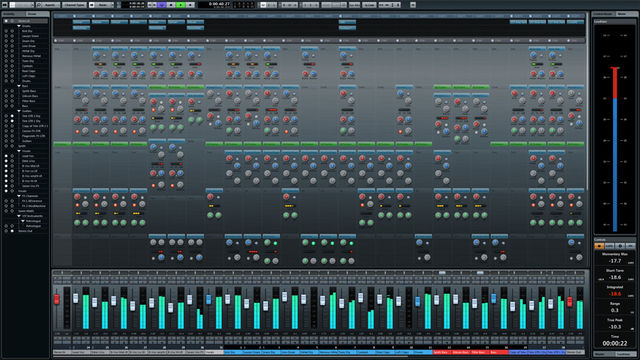
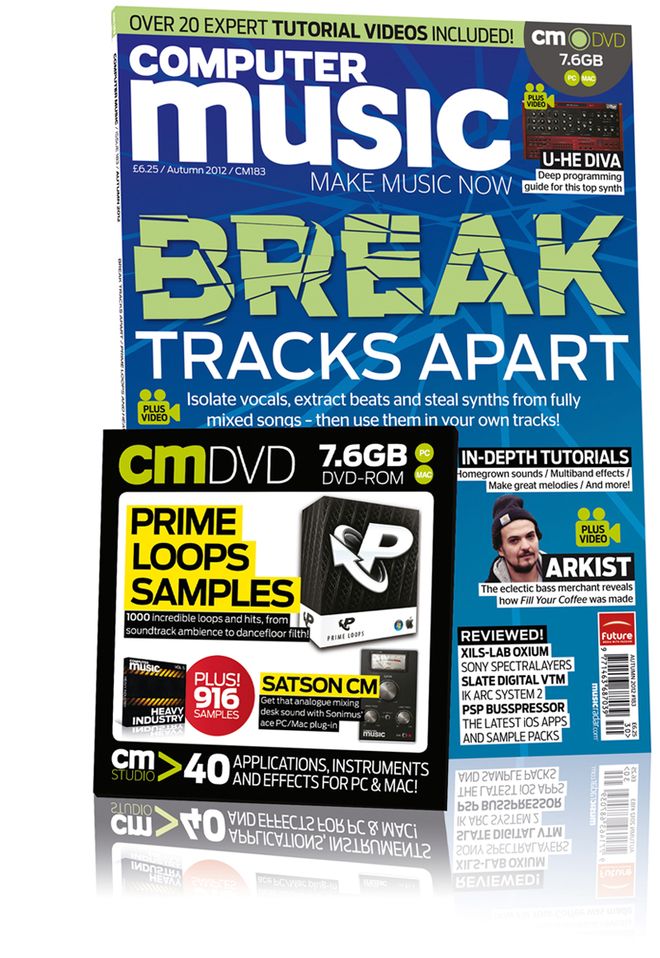
The latest issue of Computer Music magazine features my four-page tutorial on the effective use of keyboard shortcuts and how they can radically speed up your music production workflow. Entitled Shortcuts to Success and found on page 60 it focusses on some of the features offered by Logic, Cubase and Ableton Live that enable you to customise your keyboard layout in a way that puts your most-used tools and commands directly beneath your fingertips. So if you’re looking for some cool ways to increase your productivity when producing your productions, check it out!
iCreate 114 – Set Up Guitar Sessions & Change Master FX
Although the digital version of this issue has been available on the iPad for almost a fortnight now, the print edition of iCreate 114 has at last hit the racks in your local newsagent.
As well as the usual collection of informed features that this month cast an approving eye over the iPad Mini, the iPad 4, the latest iMacs and iOS 6, you’ll find two of my GarageBand tutorials in this month’s mag.
The first deals with setting up GarageBand to record an electric guitar part, while the second focusses on how to adjust the effects on the master track to make it sound like your track was recorded in a different location, such as a concert hall, church, or stadium. All in all, an info-packed issue that’s well worth checking out!
Steinberg Announce Cubase 7
Steinberg have unveiled their latest major update to their acclaimed Cubase DAW, barely 8 months after the previous leap to version 6.5. In what appears to be a significant overhaul, the new version gets a completely new, fully-scalable mix page, brand new composing tools, more effects, more content, support for Yamaha’s impressive new Nuage controller and countless workflow enhancements for recording, mixing and editing music.
There’s a new Chord Track that automatically detects the chords within a song, a composing assistant that can intelligently suggest new chord progressions, and a new feature called VST Connect SE that makes it easy to collaborate with other musicians online via a video hookup and a real time chat window. Elsewhere, VariAudio 2.0 gives you the freedom to follow any changes made in the chord track and create multiple harmonies from a monophonic melody, and the new Cubase Channel Strip brings you a built-in noise gate, triple-model compressor, 4-band studio EQ, envelope shaper, tape and tube saturation and brick wall limiter / maximiser on every track.
These and countless other features too numerous to list here make up a substantial leap forward for Cubase, constituting a serious production package that’s scheduled for general release on December 5th, at a suggested retail price of €599 for the full version, with a cut-down Cubase Artist 7 version available for €299. Although upgrade prices are yet to be announced, Cubase 6.5 users who purchased their software on or after October 25th 2012 are eligible to upgrade to the new version free of charge.
You never know, perhaps this might be the prod that Apple needs to stop messing about with telephones and patent infringement lawsuits and get on with releasing Logic Pro X before the end of the year. We live in hope…
Apple Take Excitement to the Macs – New Ivy Bridge iMacs, Mac Mini, 13” Retina MacBook Pro
Apple have unveiled a slew of new and updated products in a special media event in San Francisco. Aside from the iPad Mini and 4th-generation iPad discussed in an earlier post, most notable among the new arrivals was the new 13” Retina MacBook Pro, while the hotly-anticipated Ivy Bridge iMacs and an upgraded Mac Mini also made their debuts today. Here’s a brief rundown of what was in store.
MacBook Pro
The incredibly thin new 13” Retina MacBook Pro is now just 0.75” thick and weighs just 3.5 pounds – 20% thinner and 1 pound lighter than before. As with the 15” Retina model, there’s no longer room for an optical drive, but at a resolution of 2560 x 1600 pixels – four times the number of the previous generation MBP – that Retina display with 75% reduced reflection and 178 degree viewing angle makes up for a lot. Also now sporting an HDMI out and flash storage capacity of up to 768GB, the 13” Retina MacBook Pro starts from £1449 for the base 2.5GHz dual-core i5 128GB model, rising to £1699 for the 256GB version. The new 13-incher is available from today, but for those not bothered about the Retina display, the current non-Retina models are still available at the same price as before.
iMac
The new iMac closely resembles its predecessor, at least from the front, retaining as it does the much-maligned ‘chin’ beneath the display. However, the display glass now runs all the way to the edge, and from the rear, it’s a totally different shape, a bulge at the centre of the back panel gradually tapering to a 5mm thickness at the edge where it meets the display. It looks stunning in the images, and promises to be even more so in the metal. The display is fully laminated to the glass, dispensing with the 2mm air gap that formed part of the construction of the previous model. This astonishing 80% reduction in thickness means that the vertical optical drive has finally bitten the dust, as it has in the Retina laptops.
Following much speculation that the new iMac would have a Retina display, consumers may or may not be disappointed with the standard, non-Retina LED displays that the new models sport. However, with IPS technology for a wide viewing angle and a special anti-reflective coating that’s 75% less reflective than before, they should still be pretty impressive. The 21.5” model offers the same 1920 x 1080 resolution as before, as does the 27” with its 2560 x 1440 spec. A 720p Facetime HD camera, dual microphones, stereo speakers, NVIDIA Kepler graphics and 802.11a/b/g/n WiFi round out the specifications.
You can get the new iMac configured with either a 1TB or 3TB HDD or up to 768GB of flash SSD storage, but a third option is to go for Apple’s new Fusion Drive, which is essentially similar to a hybrid drive such as Seagate’s Momentus XT. A combination of a 128GB SSD and a 1 or 3TB HDD, this comes pre-configured with Mountain Lion and all Apple’s native apps on the flash partition, leaving you ample room for storage on the HD partition. This promises lightning-fast performance from the apps you use most day-to-day, coupled with the kind of storage capacity not yet achievable via an SSD alone. It’ll be interesting to see how much this sets you back as a CTO option.
Bundled, as before, with Apple’s wireless keyboard and magic mouse, the new 21.5” iMac will start at £1099 for the base 2.7GHz i5 1TB 8GB model when it ships in November, rising to £1249 for the 2.9GHz model. The base 27” 2.9GHz i5 1TB 8GB will be available in December for £1499, with the 3.2GHz i5 1TB 8GB version coming out at £1699. Quad-core i7 processors will be available as a CTO option on the higher-priced 21.5 and 27” versions.
Mac Mini
The smallest, most affordable Mac also gets a much-needed Ivy Bridge refresh, starting at £499 for the 2.5GHz dual-core i5 version, rising to £679 for the 2.3GHz quad-core i7 model. There’s also a server version available with twin 1TB hard drives for £849. All models ship with 4GB RAM and Intel HD Graphics 4000.

Apple expands iPad range with iPad Mini and 4th-generation iPad
Apple have introduced the eagerly-awaited iPad Mini to its iPad product lineup, together with a revamped version of the full-size model that takes advantage of a faster processor and the new Lightning dock connector. With a diagonal screen dimension of 7.9 inches, the iPad Mini is an entirely new design, at just 7.2mm thick – 23% thinner than the revamped, 4th-generation iPad – and weighing a mere 0.68lbs – 53% lighter than the full size model. Maintaining the original iPad’s 1024 x 768 screen resolution and aspect ratio guarantees that all current iPad apps will work on the smaller device without any extra effort necessary from developers to release compatible versions of their apps.
The dinky new device has at its heart a dual-core A5 chip and boasts both a 720p Facetime HD front camera and a 5MP rear iSight camera. Featuring LTE cellular capability, 802.11 a/b/g/n WiFi and a touted 10-hour battery life, the iPad Mini will ship in black or white trim and will be available to pre-order from October 26th. WiFi models are expected to start shipping on November 2nd, with cellular models shipping 2 weeks later.
Prices start at £269 for the 16GB WiFi model, rising to £429 for the 64GB WiFi model. Cellular models will start at £369 for the 16GB, topping out at £529 for the 64GB. There’s also a range of bespoke smart covers, available in a choice of five colours (plus a product RED version), to make the teeny iPad even more dapper.
The new, 4th generation full-size iPad sports a speedy new A6X processor for double the CPU and graphics performance of its predecessor, together with the new Lightning dock connector as found on the iPhone 5. Prices for these start at £399 for the 16GB WiFi model, rising to £559 for the 64GB WiFi model. Cellular models will start at £499 for the 16GB, topping out at £659 for the 64GB.
iCreate 113 – GarageBand Notation View & Flex Editing
Creative Mac types will be pleased to note that Issue 113 of iCreate has now broken cover, and this latest issue features two double-page GarageBand tutorials from me. First up, on page 72, you’ll find my guide to score editing using the app’s notation view feature. Focussing on editing notes, correctly displaying time and key signatures, homing in on problem areas such as triplets and accidentals, how to insert rests and pedal symbols, and finally how to print your MIDI parts as a musical score, this two-pager turns the spotlight on an area of GarageBand that’s often overlooked by the majority of users.
Flick over onto page 74 and you’ll find my guide to using flex editing techniques to address wayward timing issues in your projects. I’m always amazed at how Apple have managed to shoehorn so many pro-level features into an entry level DAW that comes free on every Mac, and flex editing, which allows you to freely adjust the timing of audio regions without affecting their pitch, is a great example of this. In this piece, I demonstrate how you can shift individual words and syllables within a vocal region to alter the phrasing.
So, why not take advantage of these and numerous other great tutorials, reviews and features, along with all the latest Apple news, by grabbing yourself a copy of iCreate 113? Like the US Mint – you know it makes cents!
Computer Music 184 – Expressive Synth Lines (with Video) and 2CAudio B2 Review
Two contributions from the daveclews.com writing desk feature in the November 2012 issue of Computer Music magazine, now appearing front-and-centre on the shelves in all good newsagents, not to mention available to download digitally. Firstly, on page 60 you’ll find my four-page guide to adding expression to programmed synth lines – we’re talking how to add pitch bend and mod-wheel vibrato after the event to make it sound as if your lead parts were recorded by a seasoned keyboard pro. There’s even a section dedicated to getting the most out of your synth’s portamento control, and the whole thing is backed up with audio examples and video walkthroughs to be found on the cover-mounted DVD.
Also in this issue is my review of 2CAudio‘s new B2 spatial processor plug-in, which is to all intents and purposes a very high-quality algorithmic reverb unit. If you thought early reflections were what greet you in the bathroom mirror first thing in the morning, this thing will change that perception forever. Find out exactly what I thought of it on page 96. (Hint: I kinda liked it!)
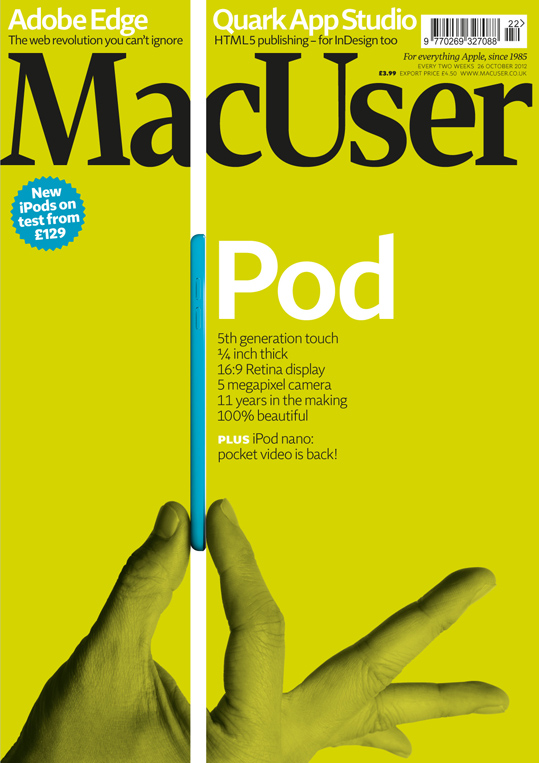
MacUser Vol.28 No.22 – Fission 2.0 Review
Out this week, the new issue of MacUser contains my review of Rogue Amoeba’s Fission 2.0 audio editing app, found on page 28. Nip down to the shops and pick up a copy to find out what I thought of the newly-updated version of this well-regarded, pared-down software solution that allows you to pull off lossless edits quickly and easily and convert and save them between multiple formats.
Computer Music Special Issue – Drums
Super-excited to announce that the Drums special issue of Computer Music, to which I contributed 15 pages of technique tutorials and reviews, is now available in the shops. This comprehensive guide to everything you need to know about programming, recording, processing and mixing drum tracks contains two big features from me.
The first is a 10-page guide to programming MIDI drum tracks in different genres, and features detailed walkthroughs and audio examples covering everything from Rock and Dubstep to House and Moombahton, via Electro, Hip Hop & RnB. Whatever your preferred style, you’ll find the basics to programming a solid groove covered here, and the item begins on page 78.
Later in the book, on page 94, you’ll find my 5-page roundup of MIDI drum pad controllers. Here you can get the lowdown on machines such as Arturia’s Spark, Native Instruments’ Maschine Mikro, the Roland SPD50 Octapad and the Akai MPD26, among others, and find out which is the best pad-based controller for your needs, whether you’re a live performer or a project studio-based programmer.
At just £6.50, and packed with loads more informative features and more drum samples on the included DVD than you can shake a stick at, you’d be mad not to beat it down to the shops to pick up a copy!
iCreate 112 Is Out!
Issue 112 of iCreate hit the shelves at your local magazine boutique this week, and contained within its info-packed pages is a two-page tutorial from me on the basics of recording live instruments in GarageBand. Focussing on how to connect and configure external interfaces and microphones, setting levels, choosing monitor effects and finally recording takes, this guide should provide all the information you need to get a basic session off the ground when recording acoustic instruments with a microphone. The tutorial starts on page 48, and keep your eyes peeled for more from me in next month’s issue!
Computer Music 183 Out Now – Sample Your Surroundings, Write Memorable Melodies (With Video)
Issue 183 of Computer Music magazine hit the shelves this week, and nestling between its covers you’ll find not one, but two features from me this month.
On page 55 you’ll find a five-page guide to sampling the sort of everyday objects that you find lying around the house, to convert into unconventional musical instruments. With affordable, powerful audio workstations available to everyone these days, it’s never been easier to create your own sounds from scratch, and this guide shows you some easy ways to do it using a microphone, Logic and some of the amazing free plug-ins that are out there. So, if you want to record some coffee-tin percussion, make a one-octave wineglassophone or transform a grill-pan rack into a playable synth patch, it’s well worth a look. There’s also a page of tips to inspire you to create your own sounds from whatever else you can find to hand, from matchbox shakers to laundry-tub kick drums and more.
Following straight on from this, on page 60 you’ll find my feature on how to get things moving if you get stuck writing a melody. Kind of a sequel to the chord progression feature in last month’s issue, this tutorial illustrates a few reliable, theory-based techniques for taking melody lines in a new direction should you find yourself not knowing where to go next. Backed up with audio examples and another set of video tutorials produced and narrated by me, all of which can be found on the cover-mounted DVD, this four-page guide should hopefully supply you with some inspiring tricks that you can rely on time and time again.
Elsewhere in the issue, there’s the usual excellent mix of news, reviews and interviews, along with a big feature on unmixing and another massive batch of free samples and a free mix bus plug-in (Satson CM) on the DVD. Congratulations to the CM team on another great issue, which can be picked up from all good newsagents or downloaded as a digital version via Newsstand for iOS or Zinio for Mac and PC.
Avid Release Pro Tools 10.3, adds OS X Mountain Lion & Thunderbolt Compatibility
Avid have officially released Pro Tools version 10.3, which adds support both for OS X Mountain Lion and the newly-announced HD Native Thunderbolt interfaces, discussed in the earlier post below.
From Avid’s website:
Pro Tools Version 10.3 is an officially qualified and recommended installer for:
Pro Tools systems on Mac OS X 10.6.7 – 10.8 or Windows 7 SP1
Pro Tools|HDX systems on Mac OS X 10.7 – 10.8 or Windows 7 SP1
Pro Tools|HD Native systems on Mac OS X 10.6.7 – 10.8 or Windows 7 SP1
Pro Tools|HD Native Thunderbolt systems on Mac OS X 10.7.4 – 10.8 or Windows 7 SP1
Pro Tools|HD Accel systems on Mac OS X 10.6.7 – 10.8 or Windows 7 SP1
The website also mentions that, although this version of Pro Tools is now qualified for Mountain Lion, if you own a Mac Pro, it’s only officially supported on computers with Nehalem processors onwards. In other words, if your Mac Pro dates from earlier than March 2009, you’re outta luck.
Another caveat is that Pro Tools non-HD device drivers (such as drivers for M-Audio FireWire interfaces, Mbox 2, Mbox 2 Micro, Mbox 2 Mini, Mbox 2 Pro, & Pro Tools Mbox Mini) are not yet officially supported with Mountain Lion.
Pro Tools 10.3 is available for registered users to download from here.
Apple Unveils New iPods & New iTunes
Alongside the announcement yesterday of the iPhone 5, Apple also revealed a refreshed iPod lineup, together with new versions of the iconic iTunes software for both iOS 6 and OS X. The iOS 6 variant of the app has been completely redesigned, with improved performance and a different layout that allows you to preview while browsing. The desktop version also gets a makeover, due late October, that will feature a dramatically simplified, grid-based user interface, with easier playlist management and DJ-friendly ‘Coming Next’ feature. There’s also iCloud integration for remembering movie positions between devices, so you can start watching a film on your Mac or Apple TV and pick up later where you left off on your iPhone or iPad.
iPod Nano
The new, 7th generation iPod Nano is 38% thinner than its predecessor at just 5.4mm thick. It resembles a miniature iPod Touch, with a home button and 2.5″ multitouch display dominating Continue reading
iPhone 5 Breaks Cover
Apple announced the long-awaited iPhone 5 at its media event at the Yerba Buena centre in San Francisco earlier today. With a case made entirely of glass and aluminium, the new iPhone is lighter and 18% thinner than before, measuring just 7.6mm thick. Touted as the world’s thinnest smartphone, it weighs in at just 112 grams, 20% lighter than the iPhone 4S. Its 4″ Retina display has an 1136 x 640 pixel resolution, which gives the screen room for an extra row of app icons at the top. All the factory apps have been optimized to show more stuff on the taller screen, including the iLife and iWork apps, while non-optimised apps run letterboxed, ie with black borders either side. There’s 44% more colour saturation, and the fact that the screen is taller whilst remaining the same width as before takes the screen closer to a 16:9 aspect ratio for better widescreen movie viewing.
There’s ultrafast wireless connectivity with LTE, which has a theoretical maximum of 100MBps, Continue reading
Avid Launch ProTools HD Native Thunderbolt Interface – but who for?
Avid, creators of the legendary Pro Tools audio recording, editing and mixing system, last week furthered their quest to eliminate the inherent latency of typical USB and FireWire audio interfaces by announcing a pair of new Pro Tools HD Native interfaces that take advantage of the ultra high-speed Thunderbolt connection standard found on the current crop of computers.
Don’t get too excited though, because even if you were able to purchase one of the new Thunderbolt interfaces, which come in either desktop box or PCIe core card format, as a single item, you’d still need to purchase an additional Pro Tools HD I/O audio interface to hook it up to. As it is, you can only buy them as part of a bundle – the new ‘interfaces’ do not have any audio in or out connections themselves, they’re just bridging devices, a means of utilising the speed of the data throughput of the Thunderbolt port on current computers, in preference to latency-prone USB and FireWire ports. This means that the price of the cheapest available bundle, consisting of Thunderbolt interface, Pro Tools 10 software and compatible HD OMNI audio interface, comes out at a whopping $4999USD (around £3300GBP).
UK Pricing:
Pro Tools|HD Native + HD OMNI System £3,299.00 (£3,958.80 inc. VAT)
Pro Tools|HD Native + HD I/O 8x8x8 System £3,999.00 (£4,798.80 inc. VAT)
Pro Tools|HD Native + HD I/O 16×16 Analog System £4,599.00 (£5,518.80inc. VAT)
Pro Tools|HD Native + HD MADI System £4,599.00 (£5,518.80 inc. VAT)
Mbox Family / 00x to HD|Native + HD OMNI Exchange £2,599.00 (£3,118.80 inc. VAT)
For the moment at least, Avid are not offering the unit on its own to accommodate the needs of Continue reading
Sony Officially Announce Sound Forge Pro Mac 1.0
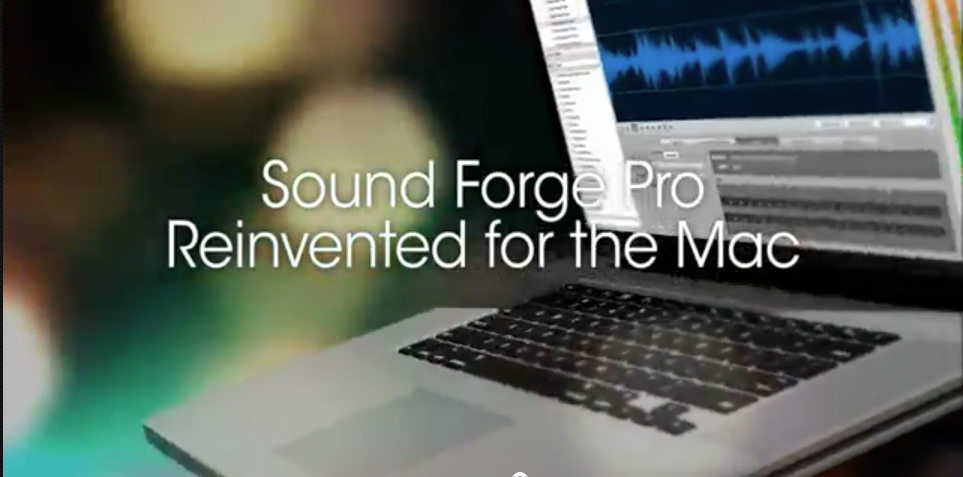
As mentioned in an earlier post, there has been a teaser campaign running for several weeks now at www.finallyonthemac.com, heralding the imminent arrival of an OS X version of Sony’s Sound Forge Pro audio recording, editing and mastering software. Well, the day has arrived – Sony Creative Software officially announced today that Sound Forge Pro v1.0 for Mac will be available later this month at a suggested retail price of $299USD.
From the press release:
“People who work on audio editing platforms recognize the need for a fresh option in the marketplace, one that’s built for OS X as Continue reading
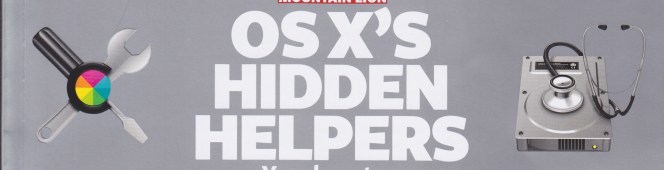
MacUser Vol. 28 No. 18 – OS X’s Hidden Helpers. I made the front cover!!
Excuse my excitement (and the accompanying double exclamation marks), but it’s not every day that a feature you’ve conceived, written and illustrated becomes the main cover feature of one of the UK’s most eminent computer magazines.
Shining the spotlight on the hidden apps lurking in your Mac’s Utilities folder, this eight-page feature is the latest, and hopefully not the last, in a slow-yet-steady stream of pieces I’ve had published in MacUser over the last year or so, but this is the first time one of my articles has been featured so prominently. Hopefully people will find it useful, as I know that I for one, prior to researching the piece, had no clue what the majority of the apps in this folder were for, and there is some really quite useful stuff in there. It goes without saying that all the information in the piece is bang up to date and Mountain-Lion savvy, outlining any major changes implemented with the new operating system in any of the applications covered.
To discover the secrets that lie within, pick up a copy from Smiths or download it to your iDevice, Mac or PC via Zinio. Be quick though – MacUser is published every two weeks, so this issue will only be around for another few days! The article begins on p.56, and I have to take this opportunity to say a huge thanks to Adam and the MacUser team for making it look so good.
IK Multimedia Announce iRig KEYS Keyboard Controller for Mac, iPhone & iPad
Just when you think they couldn’t possibly dream up any more iOS-compatible musical accessories, IK Multimedia come up with yet another in their long line of i-Prefixed goodies. This time it’s iRig KEYS, announced yesterday.
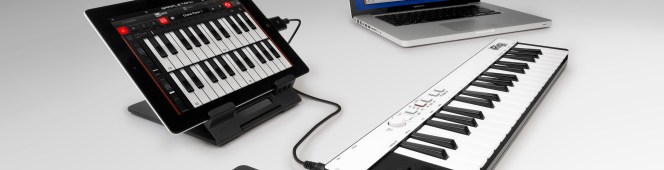
A slim, 3-octave controller keyboard for iPhone, iPad and Mac featuring 37 velocity-sensitive mini keys, proper pitch bend and mod wheels and a sustain pedal input, iRig KEYS allows connection directly to the iPhone or iPad’s 30-pin connector, obviating the need for Apple’s Camera Connection Kit accessory required by regular USB controller keyboards.
iRig KEYS is Core MIDI and USB class compliant for a true plug-and-play experience both with iOS devices or Mac/PC, so no additional app, software or drivers need to be installed to get it up and running. When hooked up to an iPhone, iPod touch or iPad, it can be powered by the device for total portability. For longer playing sessions it can be powered by the available USB port, which also powers the unit when connected to a Mac or PC.
The device works either with the included app and software or with a multitude of other MIDI-compatible DAW apps on any iOS, MacOS or Windows system. As a bonus, the package includes SampleTank Free for iOS, or SampleTank 2 L for Mac & PC, which includes over 2GB of sampled sounds. When it hits the dealers’ shelves this Autumn, iRig KEYS will be available for €74.99 (around £60 GBP).
More info available from www.irigkeys.com
Sony Sound Forge Pro 10 Coming to the Mac Platform?
If a series of teaser videos viewable at www.finallyonthemac.com is to be believed, Sony Creative Software are readying their professional-level audio recording, editing and processing software Sound Forge Pro for a Mac OS X release.
The app, which has been PC-only since its inception by Sonic Foundry in the 1990’s, has been at version 10 on the PC platform since June 2010, so it seems strange that an appearance on the Mac platform two years after the same version appeared for the PC should not be accompanied by a significant version upgrade for both platforms. However, if the shots of Sound Forge running on a MacBook Pro shown in the videos are for real, then the ranks of OS X audio editing apps are about to be joined by an accomplished, revered and versatile package that includes tools for sample-level sound design and mastering across multiple formats. It doesn’t do MIDI though, so Logic, Cubase and Pro Tools can probably sleep safe in their beds for now.
No release date has been confirmed by Sony as yet, but watch this space for more Sound Forge Pro news over the coming days.
Strike a Chord with Computer Music 182 – Video Now Included!
Hitting the ground running today after a few days break from all things digital, what’s been going on in my absence? Well, first issue of note – literally – is number 182 of Computer Music magazine, which hit the shelves on the 14th August.
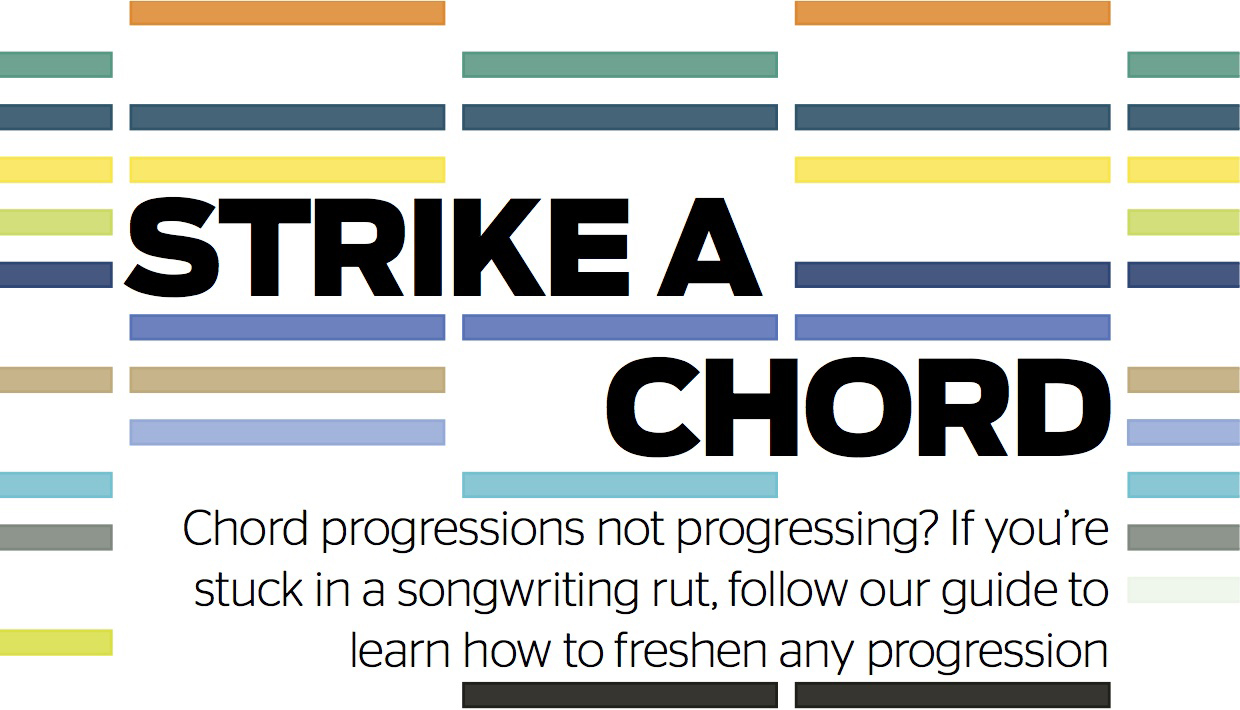
Nestling within its feature-packed pages is a four-page guide from me about how to get things moving again if you get stuck in the middle of writing a chord progression. Highlighting some simple, yet tried-and-tested manoeuvres for moving your sequences forward, this issue also marks a personal milestone for me, in that it contains not just the printed walkthrough steps, but also video versions of each tutorial included on the cover-mounted DVD.
Produced and narrated by yours truly, this is my first foray into video tutorials, so if you want to check them out, nip down to Smiths today and pick up a copy of the print edition, or you can download the digital Zinio or Newsstand versions for the Mac and iPad, as the DVD content is now included with the digital versions too!